
Use case
AI data pipelines that start from real sources and end in reusable datasets.
DataUnmess lets an MCP-connected AI inspect source fields, build a transformation flow, validate sample rows, run the pipeline, and keep the destination dataset refreshable.
Workflow
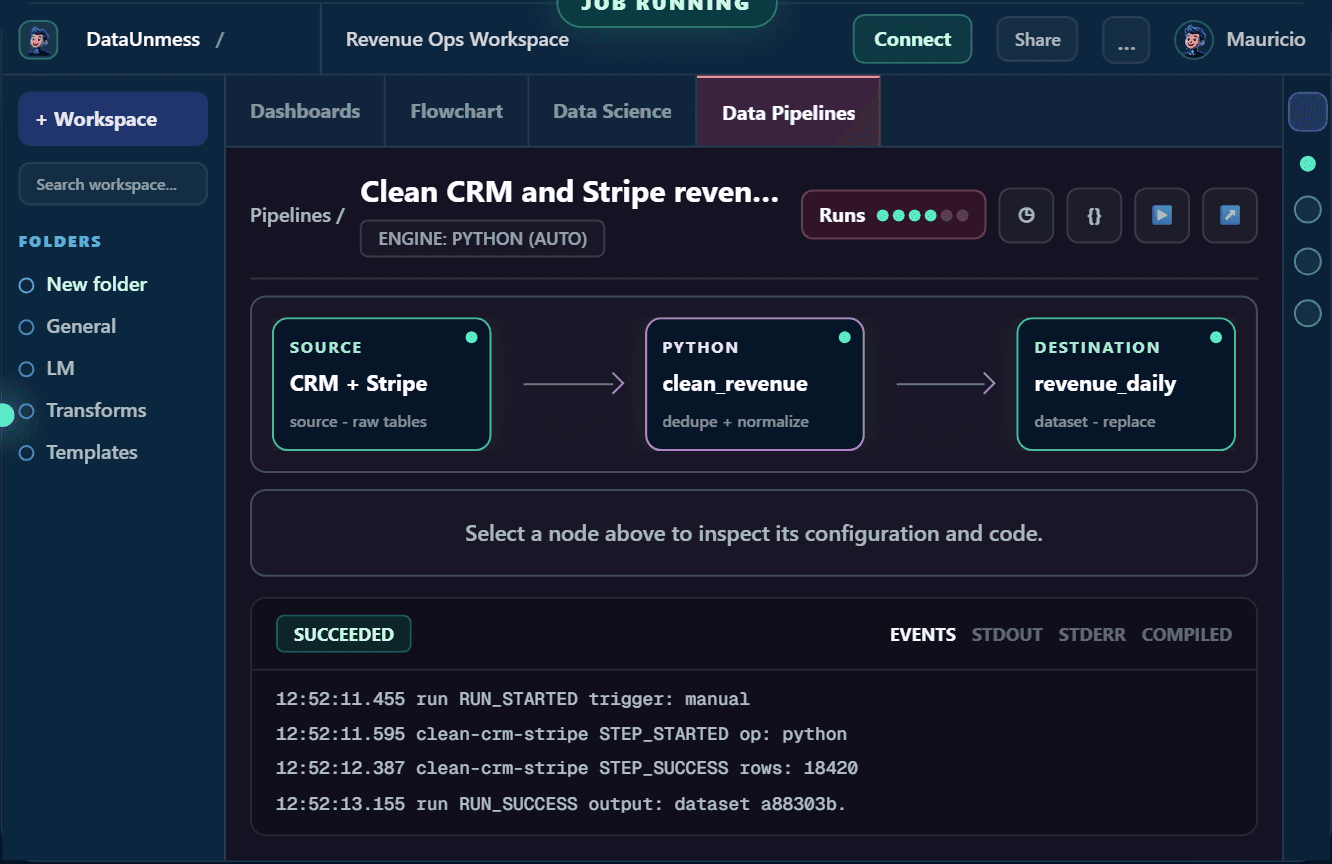
Source to pipeline to dataset
Start with a connected source or uploaded file. The AI reads a small sample, proposes transformation steps, validates the flow, and writes the result to a managed dataset or your own database.
Every saved pipeline keeps its source, steps, sink, run logs, and refresh path. That means a dashboard can refresh through the same upstream path later.
- Connect Google Sheets, SQL, APIs, SaaS connectors, CSV, or Excel.
- Clean, dedupe, normalize, join, derive, aggregate, pivot, or enrich data.
- Validate before running so bad assumptions are caught before a full write.
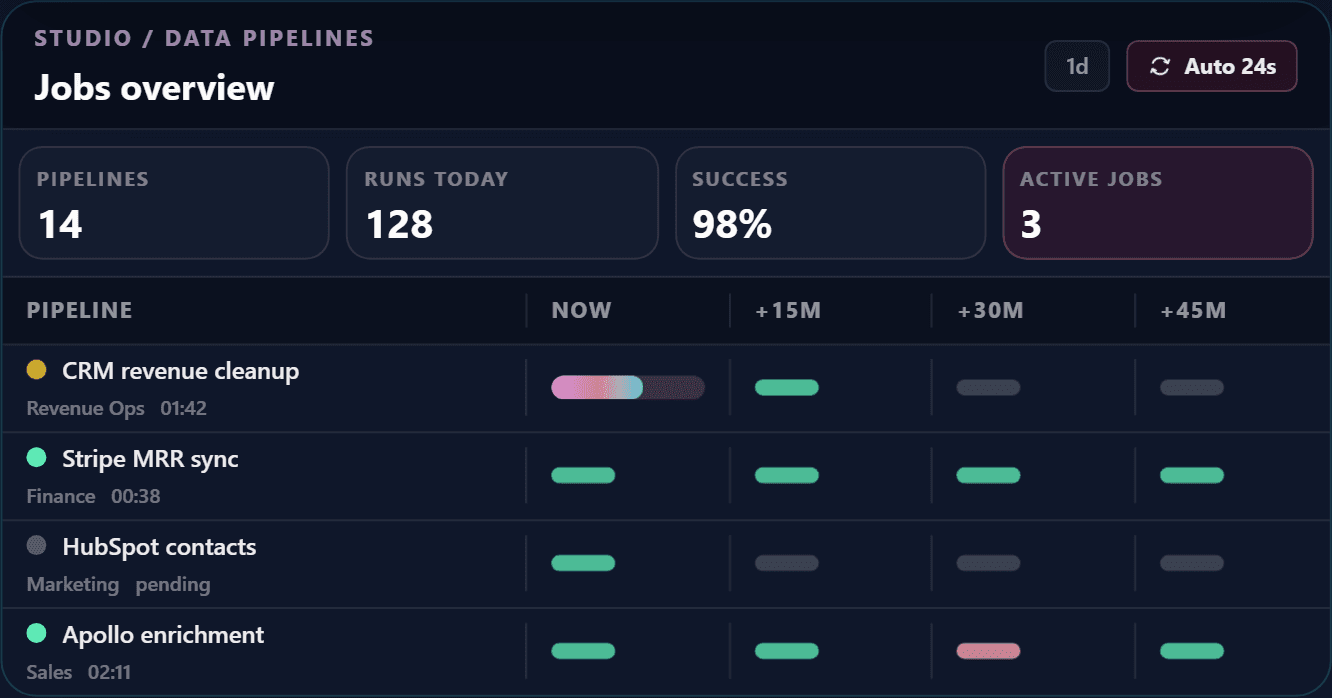
- Schedule recurring runs and inspect failures from run logs.
Best fit
When to use AI pipelines
Use AI pipelines when the same messy source will feed more than one answer, dashboard, or recurring report.
If you only need a one-time chart from a small file, build a dashboard directly. If the source needs repair, joins, or reusable cleaning logic, create a pipeline first.
Execution and safety
Use the right engine and validate before writing
DataUnmess chooses an execution path that fits the source and destination. Connector-native imports handle supported SaaS data, SQL pushdown keeps same-database transformations close to the data, and Python handles mixed-source or dataframe-style work.
The AI can inspect a sample, explain the proposed steps, and validate the transformation before the full run. Source data is not silently overwritten: the flow writes to an explicit managed dataset, spreadsheet, or database destination.
After a run, use the event log and compiled execution details to understand what happened. Saved source and sink metadata also give downstream dashboards a traceable refresh path.
- Preview source fields and representative rows before designing the flow.
- Validate joins, filters, types, and calculated fields on a bounded sample.
- Confirm the destination before running a materializing pipeline.
- Inspect run status, errors, and output lineage without rebuilding the pipeline from chat history.
FAQ
Questions teams ask before connecting MCP
Can DataUnmess schedule AI-built pipelines?
Yes. The AI can build a pipeline, validate it, run it, and configure a recurring refresh path when the source and destination support it.
Do pipelines replace Airflow?
For small teams, DataUnmess covers common source-to-dataset workflows without standing up orchestration infrastructure. Airflow is still better for large engineering teams with complex DAG ownership.